
VEED Alternative for Faceless Shorts (Free, No Watermark)
VEED can generate a faceless video, not just edit one. Here's how to decide whether its broader toolkit or Vidmoro's focused workflow is the better fit for your next short.
If you're looking for a VEED alternative, start with what's actually making you look. Do you need a different editor? A clean export without paying? Or a short video made from a brief, with less to configure?
Those are different decisions. For a faceless channel, I'd begin with the last two, then ask whether I'd miss the broader editing tools.
Disclosure: I built Vidmoro, the alternative discussed here. This isn't a hands-on speed benchmark or a claim that my tool wins every comparison. It's a look at the published capabilities and plan limits, checked on November 12, 2026, plus the questions I'd use to choose.
First, VEED does generate faceless videos
It would be convenient for this comparison to say VEED only edits footage you already have. It would also be wrong.
VEED's faceless video page describes a prompt-based workflow: choose the subject, customize the aspect ratio, voice and subtitles, then generate and refine the video. It includes a script generator and an editor for finishing touches.
Its AI YouTube video maker is more explicit: describe the topic and desired visuals, and it can write a script, generate footage and add an avatar or AI voiceover. You can replace footage with your own media, stock clips or new generated visuals.
So you don't need to leave VEED simply because you don't film yourself. It already serves that use case. The question is which workflow and allowance fit what you want to publish.
What VEED's broader toolkit buys you
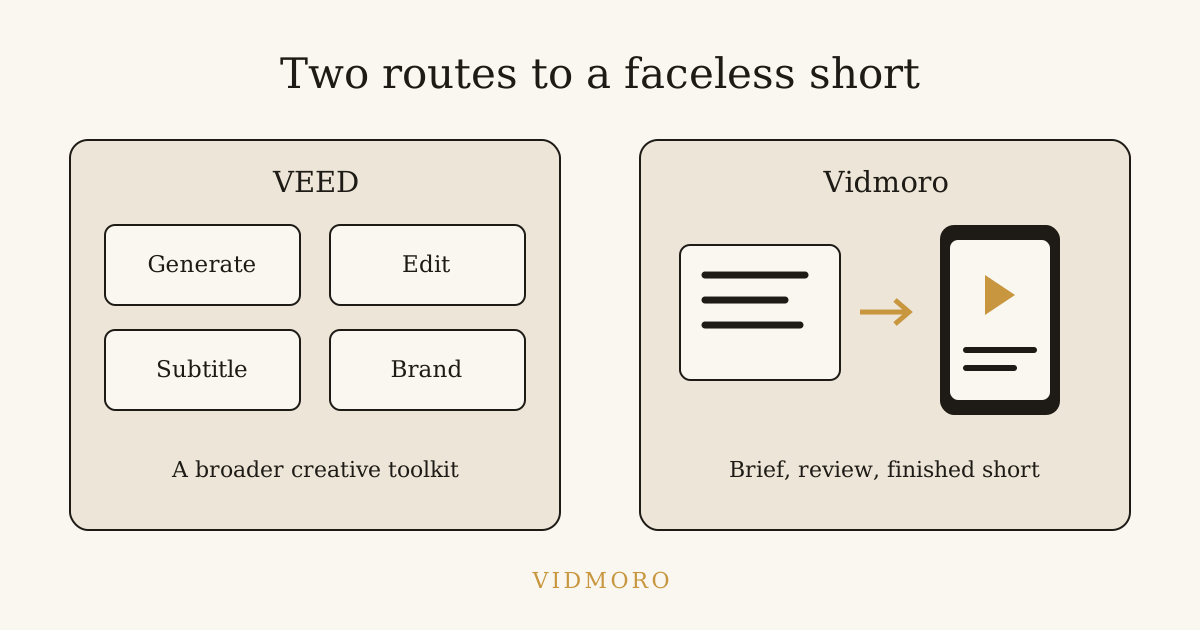
The current homepage puts generation, subtitles and branding together. Its product pages also describe voice cloning, avatars, screen recording and editing around your own media.
That matters if "faceless" is only part of your work. Imagine making a narrated explainer on Monday and a screen-recorded software tutorial on Thursday. A tool that lets you work with recordings, generated scenes and overlays in the same environment has a reason to stay in your workflow.
The same applies when a client wants changes after the first draft: swap a clip for their product footage, adjust the music or change the caption treatment. VEED's published workflow gives you those finishing options. Whether you enjoy that control or find it unnecessary is a preference, not a defect in the product.
If those are jobs you regularly do, I'd be cautious about replacing the whole toolkit just to make a simpler short. Try the narrower tool on one project first.
The free-plan distinction: testing versus a clean export
For someone searching "free VEED alternative, no watermark," this is the most direct difference.
VEED has a free account option. Its watermark policy says projects exported from a free account, or while not logged in, carry a VEED.IO watermark. A paid subscription is required to export without it.
Its export guide lists free-plan exports at 720p. The same guide lists Creator exports up to 1080p and Pro, Studio and Enterprise exports up to 4K.
These are free-plan restrictions, not limitations of VEED as a whole. Paying changes the export options. If you're already on a paid plan and like the results, the watermark isn't a reason to switch.
One practical detail from the export guide: upgrading doesn't remove a watermark already baked into a downloaded file. You need to export the original project again after upgrading. Keep the project if you might want a clean version later.
What VEED costs at the time of writing
The live pricing page, viewed in USD, showed these paid options on November 12, 2026:
| Plan | Monthly billing | Annual billing, displayed monthly rate |
|---|---|---|
| Creator | $25 per user per month | $12 per user per month, billed yearly |
| Pro | $45 per user per month | $22 per user per month, billed yearly |
| Enterprise | Custom pricing | Custom pricing |
An annual-billed rate is not a month-to-month subscription. Check the invoice total, billing period and current offer before buying. VEED says it displays local currencies where available, so don't assume the USD display is the offer every reader will see.
The pricing FAQ also explains two things worth checking beyond the headline price:
- Paid plans are per seat. The price scales with the number of editors in the workspace.
- AI generation uses credits. The allowance refreshes on renewal, and unused credits don't carry over.
I wouldn't turn either company's credit number into a direct quality or output comparison. A credit isn't a standard unit across products. Check the cost of the particular generation workflow you intend to use, including revisions, rather than comparing balances in isolation.
Where Vidmoro is a useful alternative
Vidmoro is built around reviewing a plan before making the finished short. You brief the agent, read the narration and shot list, change what needs changing, then approve production.
The homepage describes script and shot-list editing as free and unlimited. Your balance isn't touched until you approve. That makes the pre-render review a useful place to fix the lesson, remove an unsupported claim or cut a scene that doesn't belong.
After approval, the workflow produces generated visuals, a studio voiceover and word-level captions in a watermark-free MP4. The pricing page lists a finished video or social post at 300 credits. The free plan covers about two finished videos with no card, and watermark-free MP4s are included on every plan. Monthly paid plans start at $9.99 at the time of writing.
That is a reason to test Vidmoro if your immediate job is a narrated short you can export cleanly without first buying a subscription. It isn't a claim that two free videos can sustain a publishing schedule indefinitely.
Vidmoro's scope is narrower: 30-120-second videos, US-English voices and no long-form support. It isn't the choice for a multilingual series or a twenty-minute lesson. Settle those requirements before comparing prices.
A project that makes the choice clearer
Suppose you want a short explaining how to prepare a desk for focused work. You have an idea, no footage and no interest in appearing on camera.
I'd write one brief and try to keep the editorial decisions the same wherever I test it:
Make a narrated short about clearing a desk before starting work. Show moving unrelated items aside, setting out the materials for one task and putting the phone away. Keep the advice practical. Don't promise a productivity percentage or make medical claims. End with one small action.
Both VEED's published prompt-based workflow and Vidmoro's brief-based workflow are relevant to that request. The test isn't whether either one has an AI button. It's whether the result follows the brief and whether you can comfortably correct it.
I'd review the narration first, then the shots, then the exported file. Does it invent a statistic? Does the picture show a step the script never mentions? Are the captions readable? Is there a watermark you didn't expect?
For a step-by-step review process, see how to make faceless videos with AI. Keep the first test small enough that you can inspect every line and frame that matters.
Who should stay with VEED?
I'd stay with VEED if I depended on its broader editing environment, regularly mixed recorded footage with generated material, or needed its avatar, voice-cloning or translation capabilities. Pro's current pricing page, for example, advertises translation to more than 50 languages. Vidmoro's US-English scope doesn't replace that.
I'd also stay if I already had an effective paid workflow there. A lower starting price elsewhere is not automatically a saving once you account for work you need to recreate.
I'd try Vidmoro if the job were narrower: an English-language narrated short, reviewed from script to scene plan, with a clean free export as the immediate requirement. You can test that fit without making a commitment to move every project.
Questions before switching
Is VEED free without a watermark?
Its official policy says free-account exports carry the VEED.IO watermark. A paid subscription is required for watermark-free exports. That doesn't mean VEED has no free plan.
Can VEED make a faceless video from a prompt?
Yes. Its faceless and AI YouTube product pages describe that workflow, including scripts, visuals, voiceover and editing. Don't choose an alternative based on an outdated editor-only description.
Does Vidmoro replace VEED's entire toolkit?
No. This comparison concerns short narrated videos. If you need long-form work, other languages or the specific editing and presenter features discussed above, those are reasons to keep looking or stay where you are.
Which should I try first?
If your immediate constraint is a watermark-free free export, try Vidmoro's free plan. If your priority is a broader editing environment, try the relevant VEED workflow. Use a real brief, review the result and decide from that project, not from the longest feature list.