
How to Make Faceless Videos With AI (Step by Step)
A practical workflow built around one example: turn an everyday question into a narrated short, review the result, and export a video you can stand behind.
You don't need to show your face to explain an idea. You do need something worth explaining. A polished voice and moving pictures won't rescue a script that never gets to the point.
This guide walks through making a short narrated video with AI, using one example from brief to final review. The example is deliberately ordinary: a beginner's guide to making a grocery list. It doesn't need celebrity footage, dramatic historical reconstructions or claims about getting rich.
Disclosure: I built Vidmoro, the tool used for the production section below. The planning and review steps work whether you use it or assemble the video in another editor.
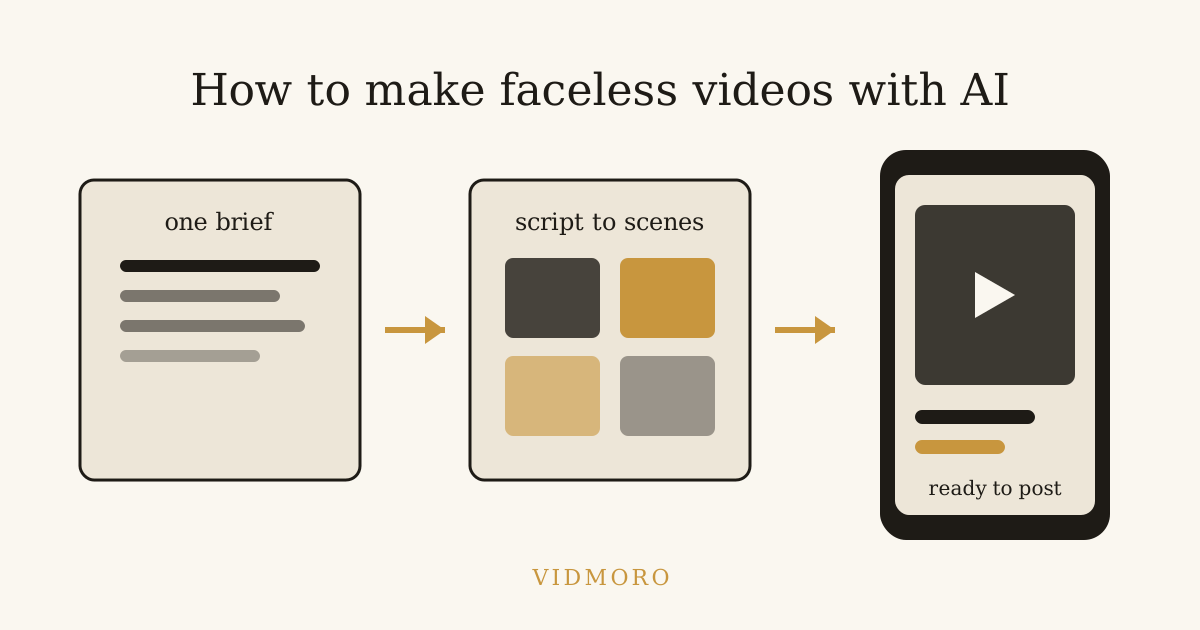
Decide what the viewer should leave with
Before opening a generator, finish this sentence: "After watching, the viewer will be able to ___."
For our example: "After watching, the viewer will be able to write a grocery list around meals instead of random ingredients."
That's a narrower promise than "learn to save money." It gives the script a finish line and gives you a way to judge the output. If the video spends half its time praising meal planning without showing a list, it hasn't delivered.
For your first project, I'd choose a subject you can check yourself. A software shortcut you use, a hobby process you understand or a simple organizational habit is easier to review than an unfamiliar medical or financial topic. AI can produce a confident sentence without giving you a reason to trust it.
If you're still choosing a subject, the faceless channel ideas guide offers starting points. Treat those as prompts, not promises of demand or revenue.
Write a brief that gives AI boundaries
"Make a video about groceries" leaves almost every editorial decision to the tool. A useful brief names the viewer, the problem, the lesson and the things to leave out.
Try this:
Make a short narrated explainer for someone shopping for themselves for the first time. Show how to build a grocery list from two planned dinners. Use a vegetable pasta and a rice bowl as examples. Explain checking the kitchen before shopping and combining overlapping ingredients. Keep the tone practical. Don't quote prices, promise savings or give nutrition advice. End with one small action the viewer can take today.
Those exclusions matter. Without a location, date and actual store prices, a precise savings claim would be made up. The video can still be useful without one.
I'd also keep the initial request small enough to review in one sitting. One lesson makes it easier to notice when the generator wanders into a second subject. You can make a separate video about batch cooking later.
Edit the narration before generating the pictures
Here's an original sample script for that brief. It's a draft, not a tested formula for views:
A grocery list is easier to write when dinner has a name.
Instead of starting with the store aisles, choose two meals: vegetable pasta and a rice bowl.
Write down what each one needs. Pasta, tomatoes and vegetables for one. Rice, beans and vegetables for the other.
Now check your kitchen. Already have rice? Cross it off. Have vegetables that need using? Put those into the plan before adding more.
Combine the ingredients both meals share into one line on the list. Then add the other things you actually need, like breakfast or snacks.
Before your next shop, try planning just two dinners. The goal isn't a perfect week. It's a list where you know what the food is for.
Read it aloud at a comfortable pace. If you're aiming for a particular duration, time that reading rather than relying on a fixed words-per-minute rule. Pronunciation, pauses and the chosen voice all affect the result.
Notice what the script doesn't do: introduce the channel, announce five tips or promise a smaller bill. It starts with the problem and ends with an action. That's my preferred shape for this example, not a rule every short must follow.
Turn sentences into shots, not wallpaper
A scene plan should make the explanation easier to follow. For the grocery video, I'd use these six shots:
| Narration beat | Picture to show | Detail to check |
|---|---|---|
| Dinner needs a name | Blank list beside two meal cards | The cards match the meals in the script |
| Choose the meals | Pasta bowl and rice bowl | No extra recipe is introduced |
| List ingredients | Ingredients grouped under each meal | Narration and groups agree |
| Check the kitchen | Pantry shelf and a crossed-out rice item | Rice is removed from the shopping list |
| Combine overlap | Two vegetable entries becoming one | The finished list stays readable |
| Try two dinners | A short list beside the two meal cards | The ending shows the promised action |
This is also where you decide which details need manual handling. If an AI-generated scene contains garbled writing, don't leave it on screen as though it's a usable shopping list. Simplify the picture or put the real wording into a text overlay in your editor.
For factual subjects, separate illustration from evidence. An invented pantry is fine for this clearly illustrative example. An invented photograph of a historical event should not be presented as documentation of that event.
Generate a draft, then listen before watching
In Vidmoro, the published workflow starts with a brief and produces an editable script and shot list. Script edits are free. Once you've reviewed that plan, the tool generates visuals, voiceover and word-level captions and renders the MP4.
Before approving production, I'd compare the script against the original promise. Remove unrelated advice and check any factual statements against a source you trust. Don't pay to render a sentence you already know needs changing.
When the video is ready, listen once without studying the pictures. Can you follow the steps? Does a pause land in the wrong place? Is an ingredient pronounced oddly? If the audio doesn't explain the process on its own, go back to the wording or voice choice.
Vidmoro's voices are US-English only and videos run 30-120 seconds. That's a fit for this English-language short, but not for a multilingual channel or a long tutorial. Those are tool-selection limits to settle before building a series around it.
Review captions and the finished frame
Next, watch with the sound muted. Check whether the captions accurately carry the narration and whether the pictures help rather than contradict it.
I would check the exported video on a phone as well as a larger screen. A list that looks readable in an editor may be too small in a vertical video. Preview it in the intended publishing app too, since its controls can cover part of the frame.
Use this review list:
- Caption wording matches what the voice actually says.
- Names, numbers and any on-screen labels are correct.
- The pictures follow the same sequence as the explanation.
- No generated scene adds an unsupported fact or misleading detail.
- Important text is large enough to read and clear of interface controls.
- The ending delivers the action promised at the beginning.
This isn't a performance guarantee. It's a way to catch avoidable errors before the video represents your channel.
Check YouTube's rules before uploading
If you're publishing to YouTube, a faceless format doesn't remove your responsibility for the content. The current channel monetization policies address mass-produced or repetitive content under the inauthentic-content policy. They also address reused material separately.
Don't read "AI can make it" as "YouTube will monetize it." Uploading variations of a generic template without meaningful original value can conflict with those policies. Nor does someone else's permission to reuse a clip automatically settle YouTube's reused-content review. Read the policy for the material you intend to publish.
YouTube also requires disclosure of realistic AI-generated or altered content. Check that guidance for your actual video rather than assuming every use of AI has the same disclosure requirement.
Meeting a view threshold isn't an automatic approval either. YouTube's Partner Program page explains eligibility and channel review. This workflow is about making a video you can review responsibly, not promising monetization.
What the first attempt costs
At the time of writing, Vidmoro's pricing page lists a free plan with 600 credits, about two finished videos, no credit card required. A finished video or social post uses 300 credits. All plans have watermark-free exports, and monthly paid plans start at $9.99.
That makes the free allowance useful for a small test like this one. It isn't an unlimited publishing plan. Review the current pricing before deciding how many videos you want to make each month.
For the first attempt, I'd judge the result on three questions: Did it explain the lesson? Did I have to correct anything important? Would I be comfortable putting my name behind it?
If those answers are good, make another video using the same review process. If they aren't, fix the brief or script before increasing output. The useful part of AI is handling production work; the decision about what deserves to be published still belongs to you.