
Captions Alternative for Faceless Videos: Compare the Workflow
Captions can create a whole faceless video, not just subtitle footage. Compare its broader AI tools with Vidmoro's focused short-video workflow before choosing.
Someone looking for a Captions alternative might want simpler editing, a different price, or a way to make videos without recording themselves. Those aren't interchangeable requirements.
If your job is a narrated faceless short, Captions already belongs on the shortlist. It can generate the video, not merely add subtitles to a recording. Choosing another tool should come down to the workflow and plan you actually need, rather than a missing feature it already has.
Disclosure: I built Vidmoro, the alternative discussed here. This comparison uses current published product information, checked November 16, 2026. It isn't a hands-on quality benchmark, and the recommendation is deliberately narrow: short narrated videos, not replacing every part of a video editor.
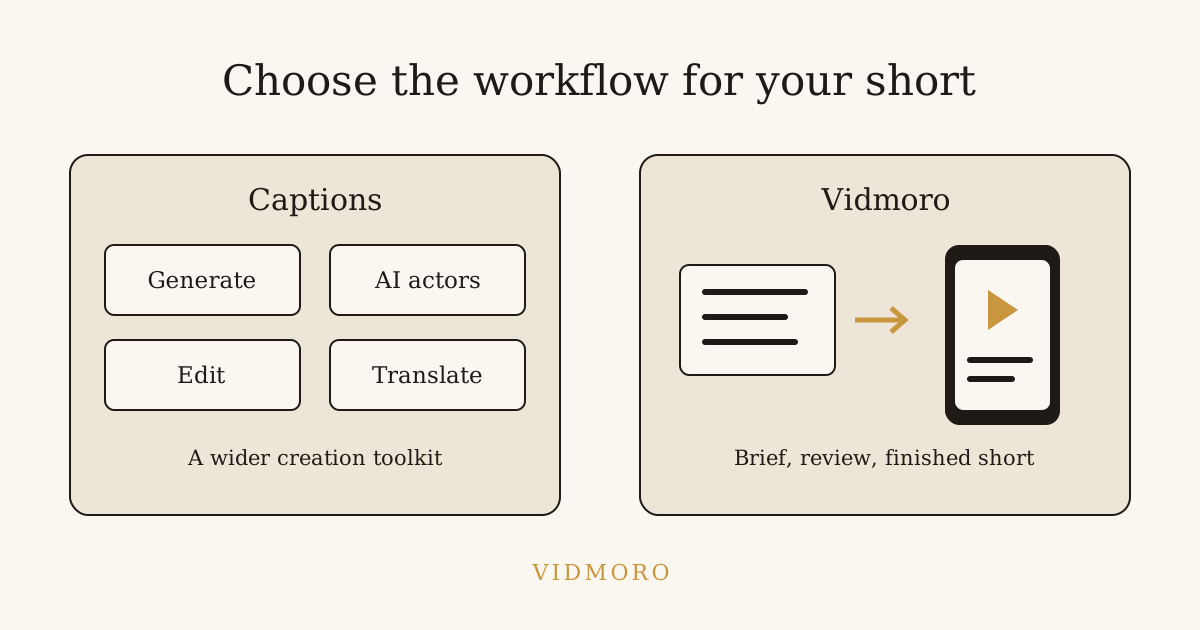
Captions is more than the name suggests
The Captions homepage describes both editing existing footage and starting from scratch. Its AI editing can cut scenes, overlay B-roll and apply a style. Its chat-based editor lets you request changes with prompts.
More directly relevant here, the faceless-video product page says you can start with a video, a script or an idea. Captions can add narration to footage you already have or make the entire video in one workflow, including visuals, voiceover, music and captions.
That rules out a common but unhelpful comparison: "Captions is for people on camera; this other tool makes faceless content." Captions offers both. You don't have to record your own voice or face to use the faceless workflow it describes.
Its wider offering includes digital twins and AI actors, eye-contact correction, noise removal and translation. If you alternate between filmed videos and generated explainers, those capabilities may be reasons to keep it.
Decide what you're replacing
I'd split the decision into two questions before looking at prices.
Are you replacing an editor? If you regularly bring in recordings and want help cutting, styling and cleaning them up, judge the editing tools on those tasks. A focused narrated-video generator might solve a different problem without replacing your editor.
Are you choosing a production workflow? If you start with an idea and need a finished short, compare what happens between the brief and the export. Can you review the narration before production? Can you correct the pictures? Does the available plan include the generation you intend to use?
For example, a creator making a screen-recorded tutorial and an AI actor introduction has different requirements from someone making an English-language illustrated lesson. Buying the same tool because both outputs are called "videos" isn't much of a selection process.
Write down your next project in one sentence. That project is a more useful test than a feature checklist containing things you may never use.
What Captions' free version includes
Captions does have a free version. Its pricing FAQ describes basic tools such as trimming, transitions and some media-library assets. The comparison table lists no AI usage credits for Free and one caption template, compared with more than 100 templates on the paid plans shown.
That distinction matters if you're looking for a free faceless video generator. Access to a free basic editor isn't the same as an allowance for generating new footage. Don't assume a free download includes the paid creation workflow.
Equally, don't turn that into "Captions has no free plan." It does. Someone who needs basic editing should judge that plan on what it includes, rather than reject it for not being a free version of every paid capability.
This article doesn't make a blanket claim about Captions watermark or export-resolution rules. For those requirements, inspect the current terms and export screen for the platform and plan you intend to use before committing to a project.
Captions pricing: preserve the iOS caveat
At the time of writing, the public pricing page showed these USD plans:
| Published plan | Displayed monthly price | Included allowance and seats |
|---|---|---|
| Max | $24.99 | 500 credits per month; two total seats |
| Frontier, base usage option | $69.99 | 1,400 credits per month; three total seats |
Max's listed features include fully produced AI videos, digital twins or custom AI actors, a chat-based editor, long-video clipping and generated B-roll, music, sounds and images. Frontier adds a larger allowance and access to a higher tier of generative models, with additional usage tiers available.
The important footnote is the page's own: features and prices reflect iOS plans only. It also says prices are subject to location-based taxes. Those are not universal web or Android quotes. Check the offer in the platform you'll actually use; don't budget from an iOS price and assume it applies everywhere.
The FAQ says unused credits roll over, up to two extra months of allowance, for a balance capped at three times the monthly allowance. That's useful to know if your workload is uneven. It doesn't tell you how many finished shorts your particular projects will produce.
I'd avoid converting 500 Captions credits into a number of Vidmoro videos. Credits are product-specific accounting units, not a shared measure of duration, quality or revision cost.
What Vidmoro offers instead
Vidmoro's published workflow starts with a brief and a plan you review: narration and a shot list. You can edit that script before approving production. The site describes those edits as free and unlimited.
After approval, the workflow produces generated visuals, a studio voiceover and word-level captions in a watermark-free MP4. The emphasis is on reviewing the explanation before spending credits on the finished short.
According to the current pricing page and FAQ, the free plan includes 600 credits a month, about two finished videos, without a card. A finished video or social post costs 300 credits, and watermark-free output is included on every plan. Monthly paid plans start at $9.99 at the time of writing.
That's a concrete reason to try it: you can evaluate a complete short with a clean free export rather than judging only the editing interface. Two videos aren't an unlimited production allowance, so check the current paid terms if you intend to publish regularly.
The scope is narrower than Captions' broad offering. Vidmoro makes 30-120-second videos with US-English voices and doesn't support long-form video. If another language or a much longer lesson is essential, those limits settle the decision before price does.
Try one brief, not a whole channel migration
For a comparison project, I'd choose a small lesson you can check yourself. Here's an original brief you can adapt:
Make a short narrated lesson about preparing a workspace for a craft project. Show checking the instructions, gathering the materials and protecting the surface before starting. Keep the advice general. Don't invent safety certifications, claim a time saving or demonstrate machinery. End by asking the viewer to check the instructions for their actual project.
This is an illustrative test brief, not a safety guide. Both Captions' published idea-to-video workflow and Vidmoro's brief-to-plan workflow are relevant to it.
Review the draft against the same questions in either tool:
- Does the narration stay within the brief?
- Do the pictures match the action being explained?
- Has the draft introduced a claim you didn't provide?
- Can you read the captions comfortably in the intended format?
- Does the export include what the plan led you to expect?
If the script is the weak part, fix that before comparing render styles. Our faceless video script template has complete examples and a scene-planning checklist you can use before production.
Who should stay with Captions?
I'd keep Captions on the shortlist if I needed its AI actors or digital twins, worked across generated and recorded footage, or wanted its broader editing and audio tools. The homepage also advertises translation and subtitles in more than 100 languages. Vidmoro's US-English narration scope doesn't replace that offering.
I'd also hesitate to move an established workflow purely because another product starts at a lower monthly price. If the existing tool does several jobs you rely on, count those jobs before comparing subscriptions.
Vidmoro is worth testing when the requirement is narrower: an English-language narrated short, a script and shot list to review before production, and a watermark-free free allowance to evaluate the finished file. It's a fit question, not a claim that the broader product is unnecessary.
Common questions
Can Captions make a faceless video from an idea?
Yes. Its own faceless-video page describes starting from a video, script or idea and producing the whole video. It isn't limited to captioning footage you film yourself.
Is Captions free?
There is a free basic version. The current pricing page lists no AI usage credits on Free and recommends paid plans for generative features. Separate the availability of a free editor from the availability of a particular generation workflow.
Is $24.99 the Captions price on every platform?
The public page labels the displayed features and prices as iOS-only and notes location-based taxes. Verify the actual offer on your chosen platform rather than treating it as a universal quote.
Which alternative should I try for a simple narrated short?
If Vidmoro's length and US-English limits match your project, try the free allowance on one real brief. Inspect the exported file before deciding what to use next month. If you need Captions' actor, language or broader editing features, test those specific capabilities instead of switching on the strength of a lower starting price.