
InVideo Alternative for Faceless Shorts (Free, No Watermark)
InVideo is a capable AI video studio with a real timeline editor. But if what you need is a finished faceless short - script, voiceover, captions, MP4 - here's the honest breakdown, and a free option built for exactly that.
Full disclosure up front: I built Vidmoro, one of the tools in this post, so weigh what I say accordingly. I'll still try to be straight with you, because picking the wrong tool costs you a weekend, and I'd rather you pick the right one - even if it isn't mine.
InVideo comes up in every "AI video" conversation, and for good reason. But a lot of people searching for an InVideo alternative aren't looking for a bigger studio subscription. They're running a faceless YouTube or TikTok channel, and what they need is much narrower: a finished short, with a script, a voice, captions, and no watermark, that doesn't need a card to try.
That's a different job. Let's treat it as one.
What InVideo is genuinely good at
Credit where it's due. InVideo has grown into a broad AI video studio, and it does have a prompt-to-video flow: its own faceless generator page describes giving the agent your idea or script, audience and length, and getting back a draft video with scenes, narration, voiceover and captions that you then refine in the editor. Its pricing page lists access to multiple frontier video and image models (Seedance, Nano Banana, Ideogram and friends), agent tiers, multiplayer editing for teams, and a full timeline editor with color, audio and 3D tools - on every plan, including the entry one.
If your work is hands-on video production - cutting footage on a timeline, directing scenes, collaborating with a team in the same project - it's a real studio, and the timeline editor is the part most AI tools don't bother building.
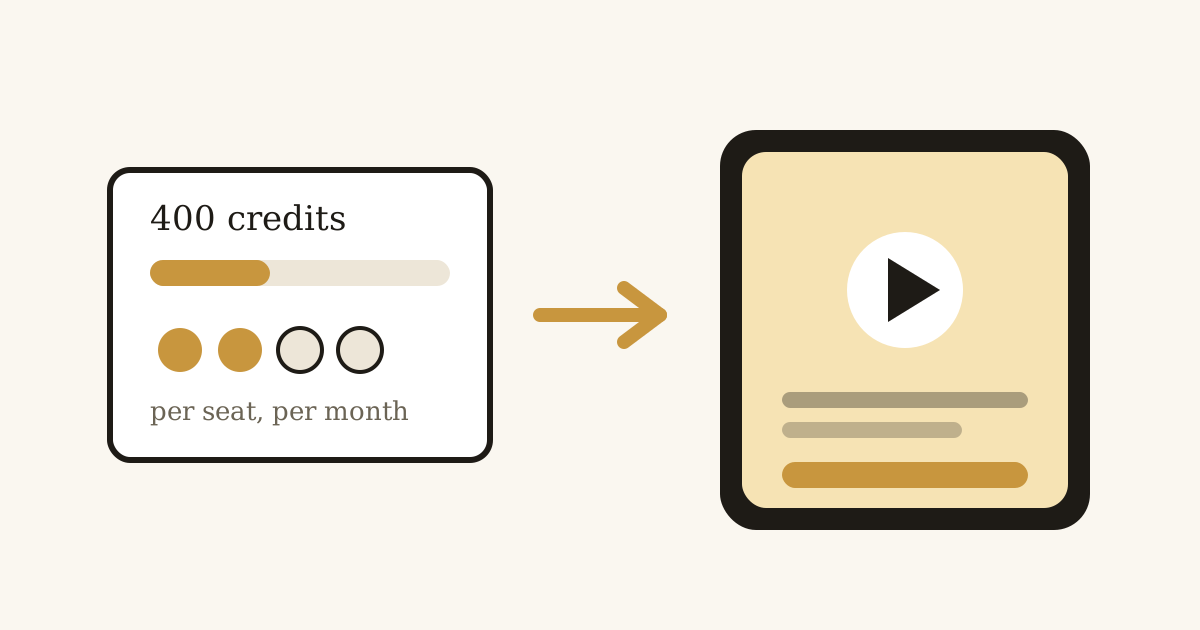
At the time of writing, the entry plan is $20 per seat per month monthly, or $10 per seat per month billed annually with their current promotion, with 400 monthly credits. Prices and promotions change, so check their pricing page for current numbers.
Where the fit breaks for faceless channels
A faceless channel doesn't need a model marketplace. It needs the same five steps, done reliably, three to five times a week:
- A script that hooks in the first sentence
- A shot list that matches it
- A voiceover that doesn't sound like a robot reading a receipt
- Word-level captions, so the video still works with the sound off
- A clean vertical MP4 you can upload immediately
InVideo's agent can draft those steps for you. The friction is what it costs to use it. Two things stand out on their current pricing page.
First, the free plan can't do the thing you came for. At the time of writing, InVideo's free tier includes a small weekly allowance and up to 4 exports a week, but exports carry the invideo watermark and generative features aren't included. So testing the AI faceless workflow means paying first.
Second, generation is metered in credits, and credits burn per clip, not per finished video. At the time of writing, their pricing page rates a 5-second Seedance 2.5 clip at roughly 25 to 96 credits depending on model and quality. A 60-second short is twelve of those clips - do the arithmetic and one generated minute can eat most of the entry plan's 400 monthly credits before any retries. The entry plan is $20 per seat per month monthly, or $10 per seat per month billed annually with their current promotion.
What to check in an InVideo alternative for shorts
- Does it give you a finished video or raw material? Clips and a timeline mean you still do the assembly.
- Is the script editable before you pay? The expensive mistake is spending credits on a render, then realizing the hook is wrong. You should be able to rewrite lines for free.
- Are voiceover and captions produced with the visuals? If they're separate steps, the sync work is on you.
- Is the free tier actually usable? Check for a watermark on the export, whether a card is required, and how many full videos - not credits, videos - you get.
- Does it export 9:16? Vertical is the format. Anything else gets cropped.
How it works in Vidmoro (the tool I built)
Vidmoro does one thing: you give it a topic or your own script, and it gives you back a finished short.
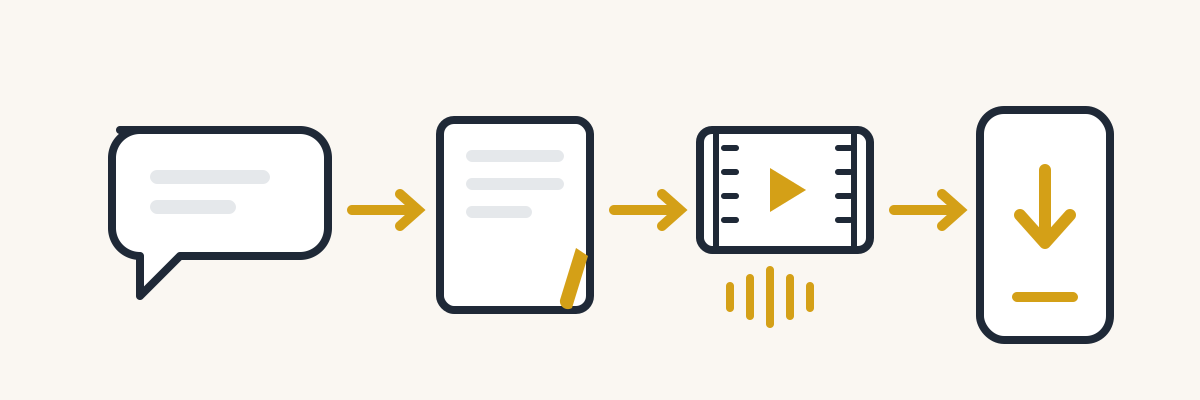
- Brief it. Type one sentence - "a short on why compound interest feels slow" - or paste a paragraph you already wrote. The agent writes the script and shot list first, before anything renders.
- Edit for free. Rewrite lines, cut a shot, change the voice or the visual style. Editing costs nothing and there's no limit on it. Credits only get spent when you approve the render.
- Render. Visuals, a studio voiceover and word-level captions are produced together. A 60-second video comes back in about a minute.
- Pick the format. 9:16 for Shorts, Reels and TikTok, 16:9 for YouTube, 1:1 for feeds. No redoing the script when you switch.
- Download. The MP4 has no watermark on any plan, free included.
There's also a whiteboard explainer format if your content is more "explain a concept" than "faceless channel," and a social agent that repurposes a finished video into posts for seven platforms.
The honest limits: videos are 30 to 120 seconds, voiceovers are US English only, and long-form video isn't supported. If you're cutting a ten-minute video essay, this is the wrong tool.
The cost that matters more than the subscription
People compare these tools on monthly price, and that's the smaller number. The bigger one is your time per video.
Say a short takes you four minutes of prompt-writing per clip, six clips per video, then timeline assembly, a voiceover pass, a caption pass and an export check. You're at an hour plus per video if nothing goes wrong - an illustrative estimate, not a measurement - and something always goes wrong. Three shorts a week is a part-time job.
A pipeline tool flips that: your time goes into the brief and the script edit - the parts that actually need your taste - and the rest is mechanical. My estimate is ten to fifteen minutes per video once you know what a good brief looks like. At channel scale, that difference is the whole ballgame.
There's also the free tier question. Vidmoro's free plan covers about 2 finished videos a month, watermark-free, no card. InVideo's free plan, at the time of writing, excludes the generative features and watermarks your exports. If you want to test an AI shorts workflow before paying anyone, only one of those lets you.
So which one should you pick?
Pick InVideo if you're a hands-on video creator who wants a timeline editor, a choice of frontier models, and team editing in one place. That's what it's built for, and the editor is genuinely capable.
Pick Vidmoro if you're running (or starting) a faceless channel and your bottleneck is finished shorts per week, not editing features. One brief in, one finished short out, no watermark on the free plan, and no card to try it.
And if you're not sure, the test is cheap: take your strongest video idea, run it through the free plan, and watch the first three seconds of what comes out. If the hook wouldn't stop your own scroll, you've lost twenty minutes. If it would, you've found your workflow.
FAQ
Is InVideo free? InVideo has a free plan at the time of writing, but it's limited: a small weekly video allowance, up to 4 exports a week with the invideo watermark, and no access to the generative AI features. Paid plans start at the Starter tier ($20 per seat per month monthly, or $10 per seat per month billed annually with their current promotion). Check their pricing page for current numbers - plans and promotions change.
What is the best free InVideo alternative for faceless videos? For finished faceless shorts specifically, Vidmoro's free plan covers about 2 finished videos a month with no watermark and no card - and the AI generation is included. InVideo's free plan doesn't include its generative features and watermarks exports, so the usable free comparison tilts one way; for paid hands-on editing, InVideo's timeline editor is the stronger tool.
Does Vidmoro support long videos or multiple languages? No. Videos are 30 to 120 seconds and voiceovers are US English only. If you need long-form or multilingual voiceover, look at studio tools instead.
Do I keep the rights to videos I make? Both tools let you download and publish your exports. Check each tool's current terms for the details that matter to your channel.